

Updated for 2026: We’ve refreshed this guide to ensure the information is accurate and reflects the current state of computer storage technology.
Is your PC running out of space, or are large files taking forever to load? It might be time to upgrade your storage drive. But when you start looking, you’ll see terms like SSD and SATA, which can be confusing. It’s important to understand the real difference: the comparison isn’t really “SSD vs. SATA,” but rather **SSD (Solid-State Drive) vs. HDD (Hard Disk Drive)**.
SSDs store data on interconnected flash-memory chips, allowing for instant access. They have no moving parts, which was a revolutionary change that made laptops smaller, lighter, and much faster. HDDs, on the other hand, use spinning magnetic platters to read and write data.
So, what is SATA? SATA (Serial ATA) is simply the connection interface used to connect a storage drive to your computer’s motherboard. Most modern HDDs use the SATA interface, and many SSDs do as well (though newer, faster SSDs often use an NVMe interface). For this article, when we refer to a “SATA drive,” we’re generally talking about a traditional HDD that uses the SATA connection.
Let’s figure out the advantages, disadvantages, and key differences between them.
A Comparison Between SSD vs. HDD (SATA)
In addition to RAM, every computer needs a long-term storage drive for saving your operating system, programs, and files. These storage devices are often upgradeable, allowing you to expand your computer’s storage capacity. The two main types of storage on the market are Solid-State Drives (SSDs) and Hard Disk Drives (HDDs). Since these are the most common options, we’ll compare them to show you which one might be best for your needs.
| SSD (Solid-State Drive) | HDD (Hard Disk Drive) |
| Type | |
| Flash memory (no moving parts) | Spinning magnetic platters |
| Sound quality | |
| Silent | Audible whirring or clicking |
| Lifespan | |
| No moving parts to fail, but has a finite number of write cycles. | Moving parts are a point of failure; less concerned with write cycles. |
| Best for | |
| Operating System, games, frequently used applications | Mass storage, backups, large media files |
| Cost | |
| More expensive per gigabyte | Less expensive per gigabyte |
| Popular Manufactures | |
| Intel Samsung Toshiba HP Crucial Western Digital or more | Toshiba Samsung Western Digital Seagate BarraCuda Crucial Water Panther or more |
Hurry! Take Our Best Recommendations For You
| SSD | HDD (SATA) |
1. Western Digital 500GB– Best budget friendly option for normal use (an older model, but still a solid choice; the 2026 successor may be worth considering).
| 1. Seagate BarraCuda 8TB – Best for server graphic design or server application (an older model, but still a solid choice; the 2026 successor may be worth considering).
|
2. Western Digital 1TB – Best for gaming purpose (an older model, but still a solid choice; the 2026 successor may be worth considering).
| 2. WD Black 6TB – Best for heavier computing work (an older model, but still a solid choice; the 2026 successor may be worth considering).
|
3. SanDisk Ultra 3D NAND 1TB – Best for laptop use (an older model, but still a solid choice; the 2026 successor may be worth considering).
| 3. Western Digital Black 4 TB – Best for general browsing (an older model, but still a solid choice; the 2026 successor may be worth considering).
|
4. Crucial MX500 500GB– Best for old computer (an older model, but still a solid choice; the 2026 successor may be worth considering).
| 4. Toshiba (HDWE160XZSTA) X300 6TB – Best for online gaming (an older model, but still a solid choice; the 2026 successor may be worth considering).
|
5. Samsung (MZ-V7S1T0B/AM) 970 – Best for graphics design (an older model, but still a solid choice; the 2026 successor may be worth considering).
| 5. 500GB Toshiba 2.5-inch – Best for laptop (an older model, but still a solid choice; the 2026 successor may be worth considering).
|
6. Intel Optane SSD 905P – Best for super-fast speed (an older model, but still a solid choice; the 2026 successor may be worth considering).
| 6. WP Arsenal 10TB – Best for gaming (an older model, but still a solid choice; the 2026 successor may be worth considering).
|
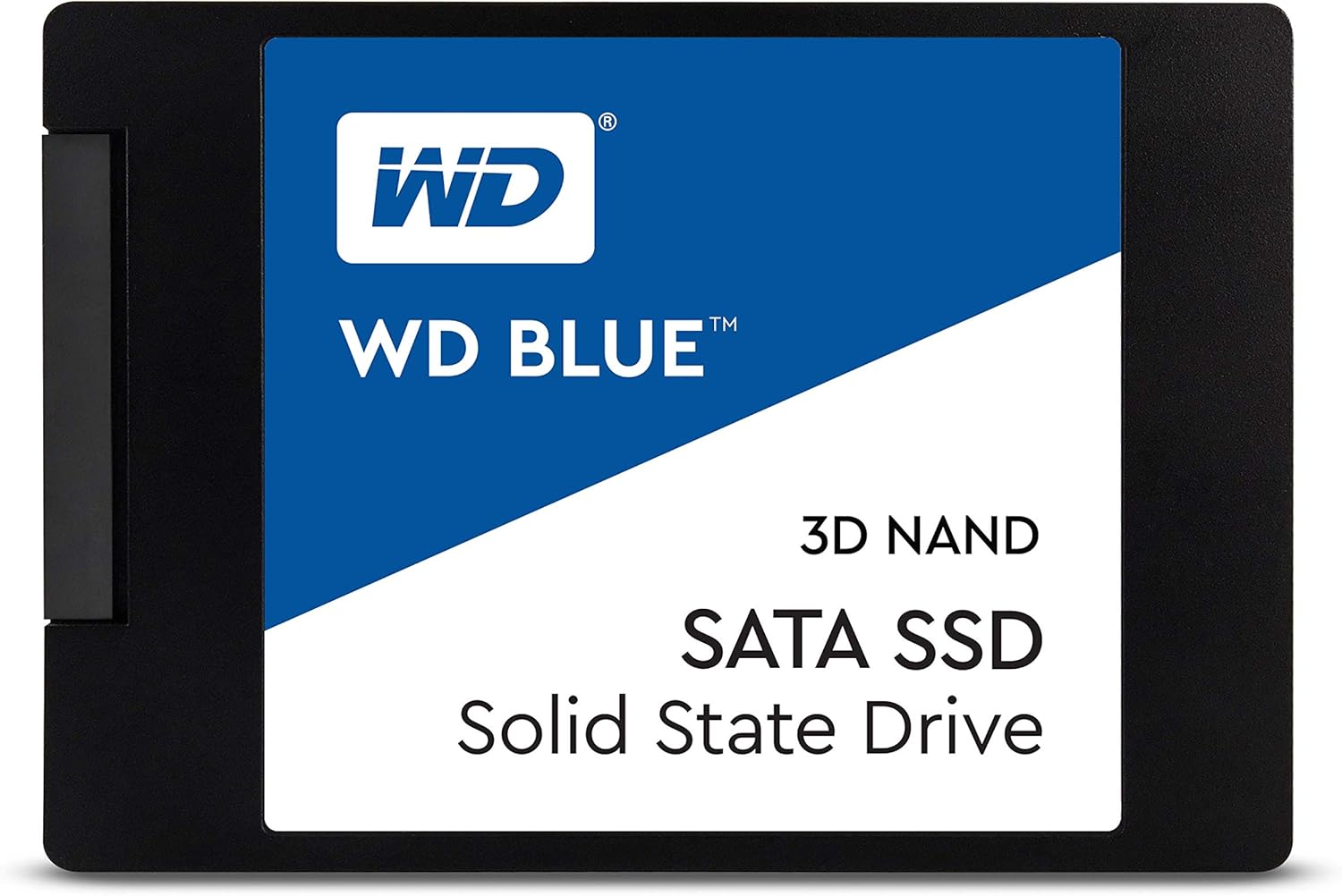


SSD and HDD: a Brief Explanation
An SSD is a modern storage alternative to the traditional HDD. Instead of spinning disks, an SSD uses non-volatile flash memory, which allows it to be erased and reprogrammed electrically. This non-mechanical nature makes it significantly faster and more durable.
SATA (Serial Advanced Technology Attachment) is the bus interface used to connect drives like SSDs and HDDs to the motherboard. It replaced the older PATA standard in 2003. A typical HDD with a SATA interface will have two cables (one for data, one for power) in a desktop PC. SATA has its own speed ratings, such as SATA II (3 Gbps) and the more common SATA III (6 Gbps).
Most SATA-bus drives today use the SATA III standard, which offers good speeds for loading programs, pictures, and large documents. This interface is also compatible with older computers that lack newer connectors like M.2 for NVMe SSDs. A great way to boost the speed of an old computer with a spinning hard drive is by cloning it to a SATA SSD.
In short, the real choice is between the blazing-fast SSD technology and the high-capacity, budget-friendly traditional HDD technology.
1. Distinctive protection with durability: SSD VS HDD
With a small size and lightweight design, the SSD offers far more durability because it has no moving parts. This makes it resistant to drops and harsh environments. You will feel better knowing your data is safer from accidental drops since there are no delicate actuator arms, which are a key component of a traditional HDD.
Alongside this, SSDs consume less power, which helps your PC run cooler and can improve battery life in a laptop. Less heat means less risk of damage to internal components over time.
On the other hand, HDDs use moving read/write heads that hover over spinning platters. These moving parts are vulnerable to shocks from drops or shakes, which can lead to physical damage and data loss.

When it comes to durability, the SSD is the clear winner, confirming better reliability to keep your data safe. A great example is the SanDisk Ultra 3D NAND 1TB (the 2026 successor may be worth considering), which offers excellent performance and reliability.
| Similarity | |
| SSD | HDD |
| Flawless support | |
| Yes | Yes |
| Rebuild Assist function | |
| Yes | Yes |
| Distinction | |
| SSD | HDD |
| Shockproof | |
| Yes | No |
| Vibration | |
| No | Yes |
2. Examine Data Transmission Speed: SSD VS HDD
The speed difference is the most significant factor for most users. An SSD provides extremely fast performance with sequential read/write operations, making your computer boot up faster, applications load instantly, and files transfer in seconds.
A typical SATA SSD can process data around 550MB per second (MB/s). The latest NVMe SSDs, which use a faster interface, can reach speeds of over 7,000 MB/s or more in 2026, making them ideal for the most demanding tasks.
A traditional HDD is much slower due to its mechanical nature. A fast consumer HDD might achieve a transfer rate of 150-250MB/s. While perfectly fine for storing large files you don’t access often, this is significantly slower than even a basic SSD.

Compared with an HDD, the speed of an SSD makes it the champion for internal storage. For a great balance of speed and capacity, we like the Western Digital 1 TB SSD (the 2026 successor may be worth considering), which offers more than enough speed for demanding computing applications.
| Similarity | |
| SSD | HDD |
| Rewriteable storage | |
| Yes | Yes |
| Proven technology | |
| Yes | Yes |
| Distinction | |
| SSD | HDD |
| Higher signaling rates | |
| More | Less |
| Open-source solution | |
| No | Yes |
3. Maximum and Standard Storage Capacities: SSD VS HDD
The demand for storage has grown immensely, and both drive types have increased their capacity. However, because of their mechanical nature, HDDs still offer the highest capacities for the lowest price.
For SSDs, it’s common to find 500GB to 2TB units as primary drives in a computing system. As of 2026, 4TB and even 8TB consumer SSDs are available, but they come at a premium price.
For home data storage, backups, and applications that don’t require high speed, HDDs are an excellent choice. A single drive can easily offer 8TB, 12TB, or even more than 20TB of storage at a very reasonable cost.

Even though SSDs win on speed and durability, HDDs are the champions of high-capacity storage. For massive space, we recommend the WP Arsenal 10 TB from Water Panther (an older model, but still a solid choice; the 2026 successor may be worth considering). This brand is known for utilizing low-latency hardware for the utmost performance.
| Distinctive | |
| SSD | HDD |
| Fragmentation concern | |
| No | Yes |
| IOPS ( Input – output operation per second ) | |
| More | Less |
| Similarity | |
| SSD | HDD |
| MTBF ( Mean time between Failure ) | |
| Less than HDD | Less than HDD |
| Data recovery | |
| Yes | Yes |
4. Form Factors Need to Consider: SSD VS HDD
Form factor refers to the physical dimensions of the drive. Because SSDs don’t have spinning platters, they can be manufactured in much smaller sizes than HDDs.
SSDs come in several variations: the most common is the 2.5-inch SATA SSD, which fits in the same bay as a laptop hard drive. Newer and faster are M.2 SSDs, which look like a stick of RAM and plug directly into the motherboard. These can use either the SATA or the much faster NVMe protocol.
HDDs typically come in two sizes: 2.5-inch for laptops and 3.5-inch for desktop computers. Most consumer and business computing devices have used these standard sizes for years.

Smaller form factors allow for more efficient use of space. For a laptop upgrade, a 2.5-inch SSD like the Crucial MX500 500GB (an older model, but still a solid choice; the 2026 successor may be worth considering) is a great choice. For a desktop that needs lots of storage, a larger 3.5-inch HDD like the Toshiba X300 6TB is ideal.

| Similarity | |
| SSD | HDD |
| Proper Physical fitting | |
| Efficient | Efficient |
| Drive bay | |
| Yes | Yes |
| Distinction | |
| SSD | HDD |
| Size | |
| Smaller options available (e.g., M.2) | Larger (2.5″ or 3.5″) |
| Manufacturing limitation | |
| No | Yes |
5. Price Requirement to Get the Best Product: SSD VS HDD
The first thing on most people’s minds is cost. A reasonable budget always ensures a good product. In this regard, HDDs are the clear winner, offering far more storage capacity for your money.
SSDs are naturally costlier than HDDs for a given capacity due to the more modern technology. However, prices have fallen dramatically over the years. As of 2026, a 1TB SSD is quite affordable, but a 4TB or 8TB model can still be a significant investment.
HDDs maintain a lower cost profile because they are a mature technology. You can often buy an HDD with several times the capacity of an SSD for the same price. For example, a high-capacity 12TB HDD can often be found for the price of a mid-range 2TB SSD.

For the best price-per-terabyte, an HDD like the Western Digital 6 TB (the 2026 successor may be worth considering) offers a huge amount of space for creative and gaming purposes in a desktop. For a laptop where speed is more critical, a cost-effective SSD like the SanDisk Ultra 3D NAND 1TB is an excellent choice.

6. Lifespan within High–end Performance: SSD VS HDD
A critical question is how long a hard drive will last. Several factors determine lifespan, including brand, type, and environment. Any drive can fail, so regular backups are always essential.
SSDs are not subject to mechanical failure, which is a major advantage. However, their flash memory cells have a limited number of write cycles. For the average user, this is not a concern, as modern SSDs are rated to last for many years—often around ten years or more—under normal use before wearing out.
HDDs can theoretically last a very long time if their mechanical parts don’t fail. They typically come with a three to five-year warranty, and it’s wise to plan for replacement around that point, especially for critical data.

No matter how much you spend, you want your drive to last. A high-endurance model like the Samsung 970 EVO Plus (an older model, but its successors carry on the legacy) comes with a five-year limited warranty and is built for long-term, high-level performance.
What Can be Your Best Choice Between HDD VS SSD?
The best choice depends entirely on your needs. SSDs, with their NAND flash memory, offer incredible speed and durability at a higher cost per gigabyte. They are the best choice for your operating system, games, and frequently used programs.
As SSD production has increased over the years, prices have steadily dropped, making them the standard boot drive in most new computers in 2026. At the same time, HDDs remain essential for mass storage, where their low cost per terabyte is unbeatable. Many users opt for a hybrid approach: a smaller, fast SSD for the operating system and a large HDD for files.
In the battle of SSD vs. HDD, both are winners in their own right. If you are a regular computer user who needs a lot of storage and doesn’t want to spend a lot, an HDD is a great option. They are perfect for storing large media libraries, documents, and backups.
But if you value super-fast speed, quick boot times, and better durability, an SSD is the way to go. They are especially recommended for laptops, where their shock resistance and lower power consumption are major benefits.
Explore More:
Head to Head Comparisons
- iPad Air vs. iPad Mini: What Will You Select?
- Lenovo Flex vs Ideapad: Which Will be Your Favorite?
- Surface Pro vs Laptop: What will be the Best for You?
- Garmin Vs Fitbit Vs Apple Watch Detail Review
- Cloudways Vs Siteground – Which Wins The Battle?
- iPhone 11 vs iPhone 12: Which One Will Meet Your Demands?
Review Articles
Laptop Reviews:
- Dell XPS 13 || Small yet Powerful
- Dell XPS 15 || Best All-Around Laptop for Professionals
- New Dell XPS 17 – Ultimate MacBook Pro Replacement??
- 7 Best Lenovo Laptop For Students
- Acer Nitro 5 || The best entry-level gaming laptop?